
How to Build Presets with PiPedal
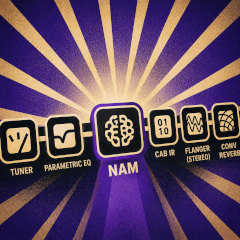
PiPedal does not provide a lot of Factory Presets. You may be used to guitar stomp boxes that provide hundreds of factory presets out of the box (most of which are mediocre, or even ridiculous, or are targeted at some genre that is not you at all). PiPedal is not that. Instead, it provides a very small set of Factory Presets that are intended to either give you a quick taste of the quality an and variety of NAM A2 models that are available, or to give you some ideas about how to build presets around NAM A2 models that you like.
Instead, the versatility of PiPedal revolves around the versatility of Neural Amp Model (NAM) models. TooB Neural Amp Modeler is the plugin that provides NAM emulations. Start by finding an amp model you like from the thousands of amp models available on Tone3000.com, and then wrap it with effects that you personally are going to use. PiPedal is not about 256 factory presets; it is about 11,000 stunningly good amp models, and the ability to build your own presets around those models.
In short, focus your attention on amp models, not presets.
First of all, start by picking an amp model that you like. Maybe a Fender amp for sparkling cleans, or famous Fender edge-of breakup tones; or a Marshall amp for classic rock and high-gain lead tones; or a Peavey 6505 for chugging metal tones. If you are chasing the sound of a favorite artist, perhaps check to see what kind of amps they prefer.
If you have found an amp model that is close to what you want, you can often adjust amp models to better suit your needs by adding EQ plugins before or after the amp model (or of course, using the Tone knob on your guitar). TooB Parametric EQ is a good choice for this, because it provide a lot of flexibility for shaping tones. Or, if you find TooB Parameter EQ overwhelmingly complicated, TooB 3 Band EQ is a simpler (but still very useful) alternative. You can often get good results by scooping mid-range frequency response a bit, or boosting high-frequency response, depending on what kind of tone you are going for. If you start with a model that is close to what you want, you can often get exactly what you want with a tiny bit of EQ tweaking.
You should also pay particular attention to whether the amp simulation is a head-only simulation or a full amp simulation (which includes modeling of the speaker cabinet). Head-only simulations will require you to add a speaker cabinet simulator after the amp model (or have an actual physical guitar cabinet in your signal chain) in order to get good sound. Head-only simulations are quite common on Tone3000, because they allow you to choose your own speaker cabinet independently. The Toob Cab IR plugin is a good choice for this (and also allows you to easily download Cab IR files from Tone3000.com).
Neural Amp Models can also be used to simulate guitar effects peadals as well. So if you have a favorite distortion pedal, or fuzz pedal, or overdrive pedal, you can probably find a NAM model of that pedal on Tone3000.com as well. Also worth considering are NAM emulations of studio console mixing strips, which are particularly useful for warming up the tone of accoustic guitars, or for adding some extra warmth and character to electric guitar tones, and a good way to get Limiter effects as well, should you find that useful.
And if you are listening to the output of PiPedal through headphones, or small speakers at home, you will generally want to add some amount of reverb as well, to get really pleasant tones. TooB Freeverb is a good choice for this, because it is a simple, no-nonsense reverb that sounds good, is easy to use, and provides relatively little signal coloration. But if you want a more lush, more colorful reverb, or are looking for creative reverb effects (bathrooms, big halls, plates reverbs, etc.), you can try convolution reverb with good impulse responses files. The TooB Convolution Reverb plugin is a good choice for this. PiPedal provides a very basic set of convolution reverb impulse files to get you started, but they are not intended to be a comprehensive library of reverb impulse responses. Unfortunately, Tone3000 does not provide convolution reverb impulse response files yet; but there are many sources of free and commercial convolution reverb impulse response files available on the internet.
And then and only then should you start adding modulation effects, or delays, or other effects around the core amp model. In the real world, guitarists add effects pedals before the guitar amp, because they have to. When building digital presets, you may find that you often get better results if you place effects after the amp model, rather than before. You get more clarity (particular for reverb effects); but sometimes lose some of the character that an effect in front of the amp can provide. For example, high-gain leads with a lot of distortion produce lovely phasing effects while pitch bending if you place an echo/delay ahead of the amp model. So experiment with different placements of effects in your presets, and see what works best for you.
If you have the luxury of stereo ouput, you can also experiment with placing stereo modulation effect plugins (chorus, flangers, phasers, stereo delays) last in the signal chain, where they produce truly marvelous results.
Going Beyond the Pre-installed Factory Plugins
PiPedal includes a selection of pre-installed plugins from the TooB plugin collection that are intended to cover most basic needs for guitar effects. See the Using Lv2 Plugins section of the documentation for more details.